-1.png?width=100&height=34&name=Group%20742%20(1)-1.png)
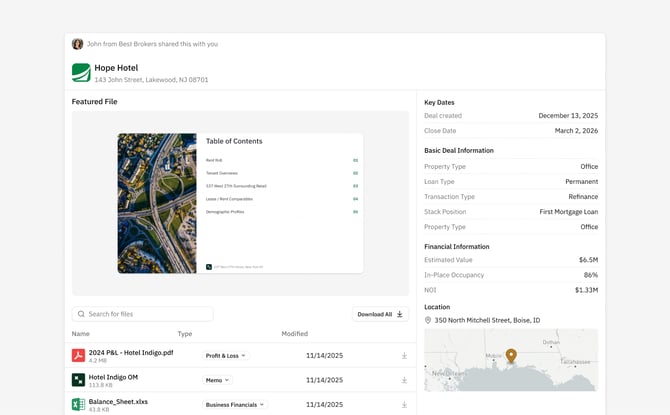
The external view of a vault is nearly identical to what you see: They have access to the Files and Folders you’ve added to the Vault, the Deal Information, and the Featured File (If you set one).
What Visitors Can and Cannot Do
Visitors will have a very similar view to you, without any of the editing capabilities. They cannot:
- Add Content or Folders: No sign-in required; easiest for lenders.
- Change a Featured File
- Share the Vault with additional users, other than copying and pasting the link with someone else
They can open Files to preview the content directly in the Vault, download individual files, or download the entire contents as a .zip file.
How Access Settings affect the Visitor Experience
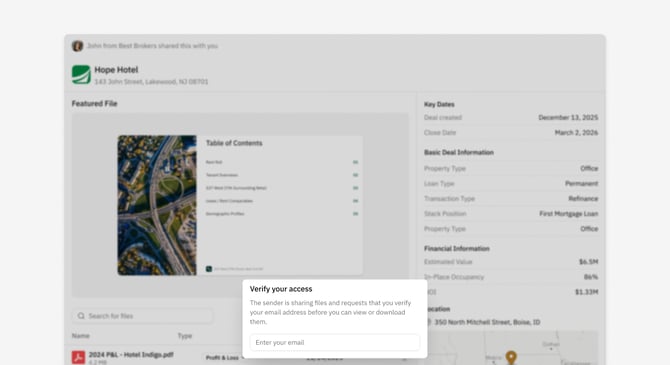
If you select "Invite Only" or "Anyone at Company" from the Access Settings, visitors are forced to enter and verify an email address. This happens on top of the Vault screen to shed some context on the link that was shared with them, while restricting access to any File until we've confirmed who they are.
After entering an email, we'll send a 6-digit code to the provided email for them to enter, confirming their identity. Once they've done that, we'll grant them access to the Vault assuming they should have access.