-1.png?width=100&height=34&name=Group%20742%20(1)-1.png)
1. Navigate to the Deal you’d like help with.
Start by opening your deal.
2. Go to the Settings tab.
Open the settings tab.

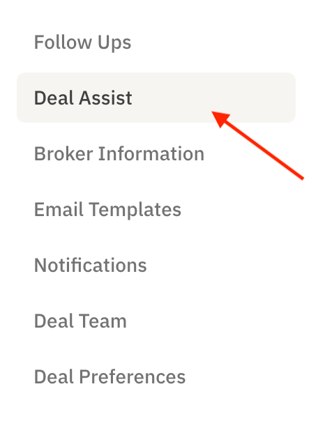
3. On the left side, navigate to Deal Assist.
4. Toggle Deal Assist On or Off.
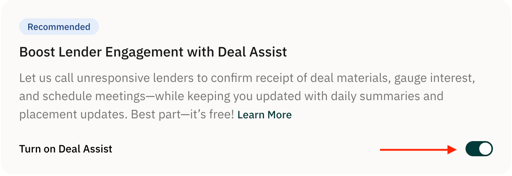
We suggest leaving the Recommended Lender Contact turned ON, so we can proactively follow up with our suggested lenders.
Why This Matters: Manually chasing down lenders takes time you could use elsewhere. Our deal assist team will reach out to unresponsive lenders on your behalf to confirm the receipt of the deal and to help get the ball rolling.