-1.png?width=100&height=34&name=Group%20742%20(1)-1.png)
Overview
Every file you upload to Lev appears in All Files, your personal view of your company’s shared file library. From there, you choose how the file should be used: keep it private to yourself, make it visible to your company, attach it to one or more Deals, or add it to a Vault for external sharing. Files uploaded anywhere—All Files, a Deal, or a Vault—always remain accessible through All Files so you can move or reuse them later.
Upload to All Files (Shared or Private)
Upload to All Files when you want to store a file in your library without immediately attaching it to a Deal. After uploading, you choose whether the file is visible to your company or private to you.
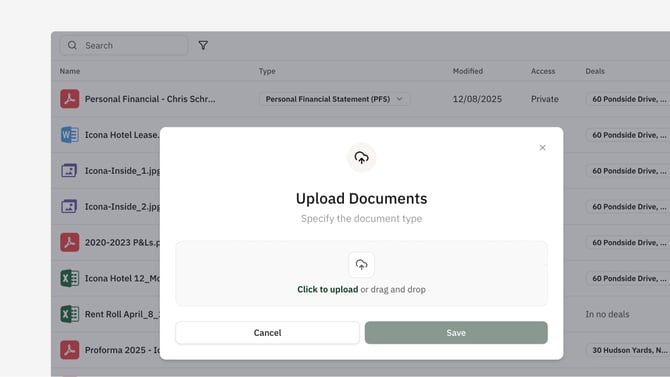
- Under the Files menu in the Sidebar, Go to Shared Files or Private Files.
- Click Add Content, then Upload File.
- Select a file from your computer or drag and drop.
- Click Save.
After upload, the file appears in All Files. Shared files are visible to everyone in your company; private files are visible only to you. You can attach the file to any Deal or add it to a Vault at any time.
Upload Directly to a Deal
Upload to a Deal when the file should appear immediately in the Deal’s Resources section and be accessible to the Deal Team.
- Open the Deal.
- Go to Resources.
- Click Add Content, then Upload File.
- Select a file from your computer or drag and drop.
- Click Save.
The file appears on the Deal and in All Files, with a Deal badge showing where it is used. Deal files remain internal to the Deal Team until you add them to a Vault.
Upload Directly to a Vault
Uploading a file inside a Vault adds it to All Files, attaches it to the Deal, and gives access to anybody you've shared that Vault with immediately. This is the most direct way to make a file available externally.
For more details, see Adding Files to a Vault.