-1.png?width=100&height=34&name=Group%20742%20(1)-1.png)
Welcome to Lev!
Lev is your all-in-one digital platform designed to streamline the commercial real estate financing process. Our platform helps you evaluate the market, connect with lenders, manage your relationships, and handle the day-to-day tasks of financing.
See below for the 5 steps you need to complete to set up your account:
1. Log In
Visit close.levcapital.com and enter your company email. A two-factor verification code will be sent to your inbox for security purposes.
2. Connect Your Email
Click the Connect your email button on the homepage to sync your email account, and follow the prompts based on your email domain provider. This is a critical step as it enables launch emails to be sent directly from your account, and ensures all deal-related email threads are consolidated in one place. 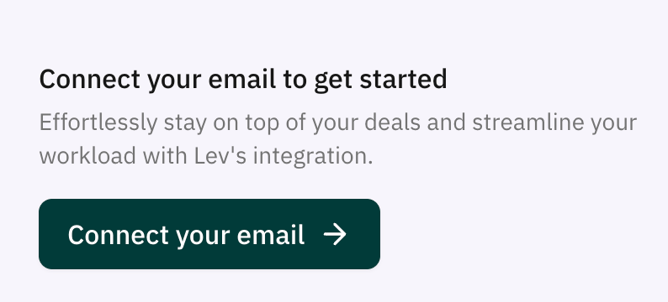
3. Sync Contacts
Once your email is connected, remember to click Enable Contact Syncing to begin building your Lenders CRM with (a) recent lenders you've worked with and (b) new lenders you meet on Lev. You will have the opportunity to review and confirm those lender contacts before adding them, and doing so will not inhibit your ability to access Lev's contacts at the same lenders.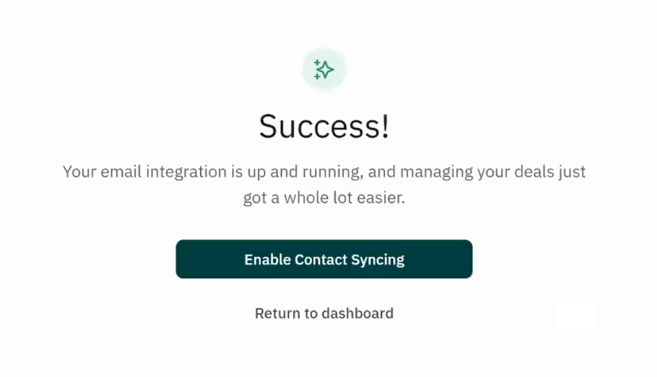
Why should I sync my existing lender relationships?
-
Create a single source of truth for lender communication and deal with history
-
Organize all of your contacts for easy sorting and outreach
-
Improve visibility for you and your team by consolidating all interactions into one place
4. Upload Contacts
From the Lenders tab on the left side navigation bar, you can also manually add any existing lender contacts via the Add Contact button.
5. Configure Settings
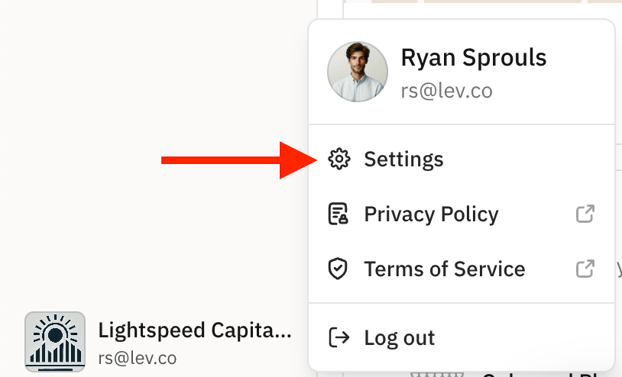
Click into your company logo in the bottom left corner of the homepage, and then navigate to Settings in order to update the My Details and My Company sections. Keep in mind this information will be visible to lenders if you send them the Lev Deal Room. Additionally, you'll note the email signature text box does not include the ability to add logos, photos, nor rich text -- this is by design, to ensure your outreach emails aren't caught in lender firewalls.
Why this is important: Integration allows you to launch deals through Lev and then continue the conversation either in your mail app or directly in Lev. Adding existing contacts, via Sync and/or manual upload, enables you to build lasting relationships across multiple deals and stay on top of historical information, including past deal conversations and terms quoted.