-1.png?width=100&height=34&name=Group%20742%20(1)-1.png)
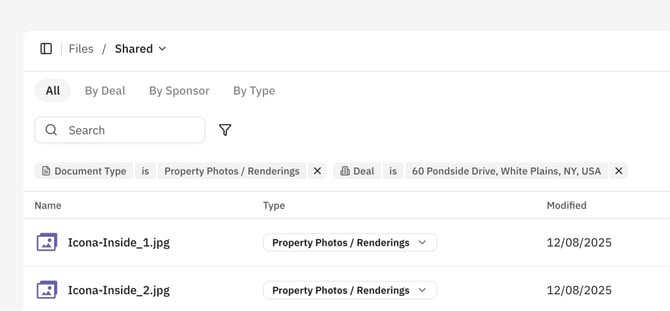
The Files page allows you to quickly locate files across your entire company and understand where they are used.
Filters
From the All Files page, you can search across all of your files and apply filters for Deal, Document Type (the CRE specific doc type such as Appraisal or Property Photo), and Extension (PDF, PNG, DOCX). This will show you all Deals that the filtered files are used on, as well as Files that are on no Deals.
Dynamic Folders
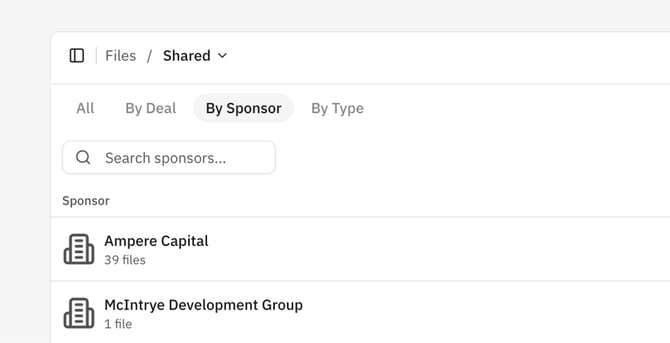
Lev also creates Dynamic Folders to group your Files by Deal, the Sponsor they represent, and Document Type. The Deals Folders are the exact same folders you will see on the Deals' Resources page, with the Deal-Specific Foldering and Organization you've used on the Deal.
The by Sponsor folders create Folders based on specific Document Types that are known to represent a Sponsor or Borrower, such as a Drivers License, a Bio, an Org Chart, and Tax Documents (and many more). When a Document of this type is used on a Deal, it will be added to a Dynamic Sponsor Folder for the Sponsor of that deal.
The by Type folders are an easy way to find Files based on their CRE Document type such as Appraisals, Rent Rolls, T12s and more across all of your companies Deals.