-1.png?width=100&height=34&name=Group%20742%20(1)-1.png)
There are three separate modules within the Market tab, all of which serve to provide you with a clear view of current lenders, enabling you to make smarter decisions and navigate the market with ease for your next deal.
1. Lender Directory
This module gives you access to key information on over 7,000 lenders nationwide. You can see their programs, lending criteria, and recent transactions, wherever you are in the financing process.
Keep in mind you can always toggle to Search By Lender Focus in order to filter by geography, asset type, lender type, and loan amount.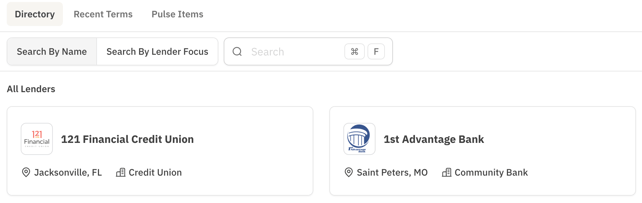
2. Recent Terms
This module surfaces terms quoted by lenders on deals launched through the Lev platform. You now have a real-time database to support your lender conversations and ultimately ensure you secure the best rate that the market can provide.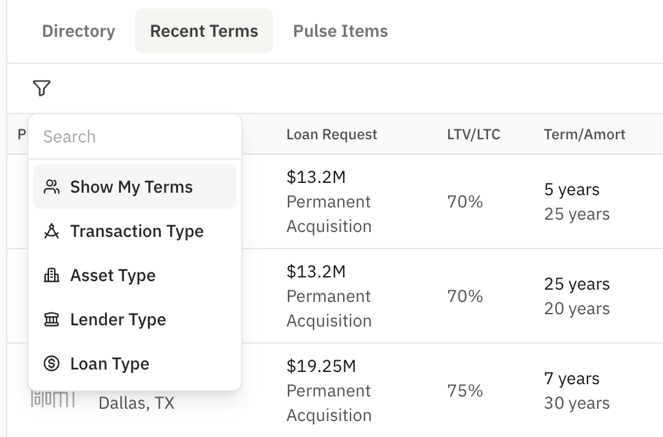
3. Pulse Items
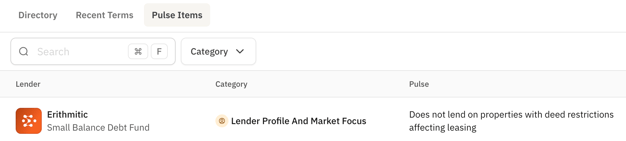
This module captures all the qualitative lender feedback that doesn't fit neatly into Lev's lender programs yet. You can leverage the search bar and Category drop-down menu to filter for keywords that give you transparency into current loan structures, processes, market focuses, and more.
Why this matters: Staying on top of active lender programs, quoted rates, and Pulse Items will help you quickly narrow your search for the most ideal lenders to target for your next deal launch.