-1.png?width=100&height=34&name=Group%20742%20(1)-1.png)
Open Deals
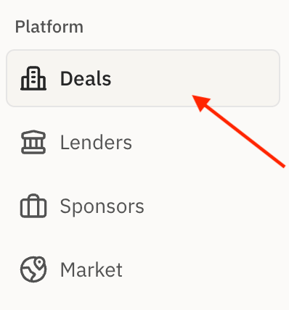
Go to your Deals tab and select the specific deal you’d like to review.
Outreach
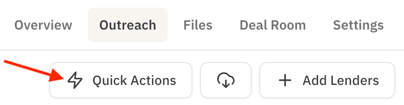
From the top-right corner of your deal page, click the Outreach tab.

View the Quote Matrix in Quick Actions
Select the Quick Actions menu
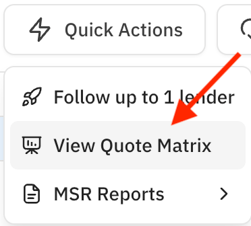
Select “View Quote Matrix.”
On the Quote Matrix screen, click Export Quotes.
Lev will generate a CSV file that you can download and save to your computer.
Why This Matters: Downloading the Quote Matrix provides a convenient and portable record of all lender quotes for your deal, making it easy to review terms offline, track historical data for future reference, and share the information with colleagues or clients as needed.