-1.png?width=100&height=34&name=Group%20742%20(1)-1.png)
Table of Contents
- Introduction
- Adding a slide
- 1. Add a blank Slide
- 2. Duplicate a Slide within the Same Memo
- 3. Add a Slide from Another Memo
- Deleting a Slide
- FAQ
- Can I control the size of each slide?
- Is there a limit to how many slides there can be in the Memo?
- Can I customize the copied over slide to my new deal/Memo?
Introduction
Lev Memo allows you to easily modify your content structure by allowing you to easily add / delete slides, move the slides around, or even copy a templated slide from another Memo.
Adding a Slide
1. Add a Blank Slide
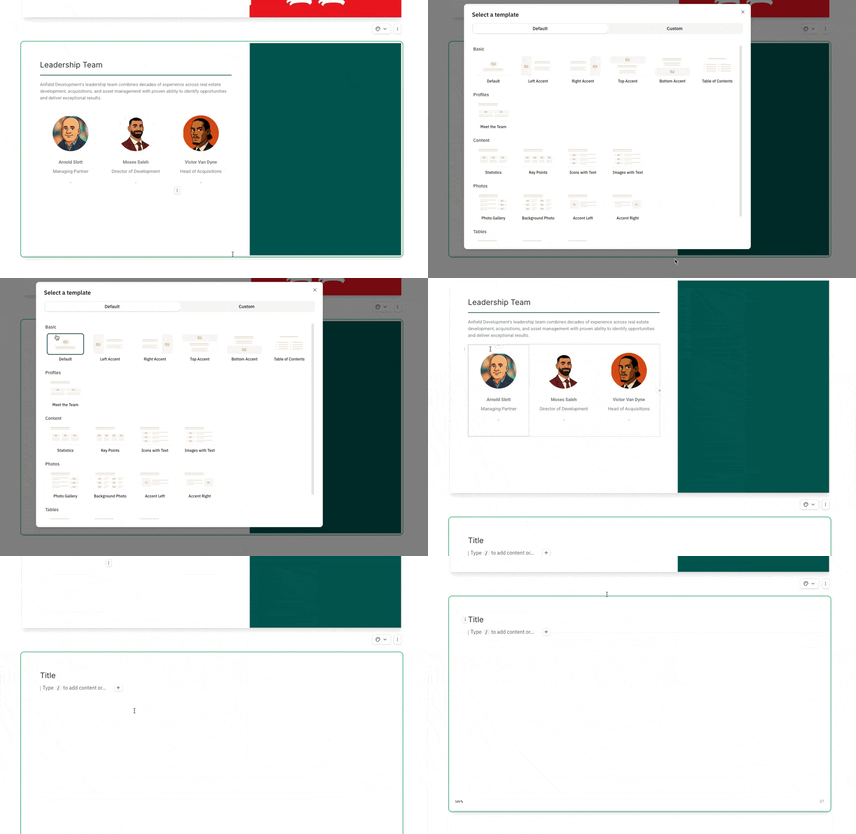
- Click on the “+” button at the bottom of any slide in a Memo to bring up the template modal
- Select any of the default layout templates to add a blank slide
2. Duplicate a Slide within the Same Memo
Via the Dots Menu
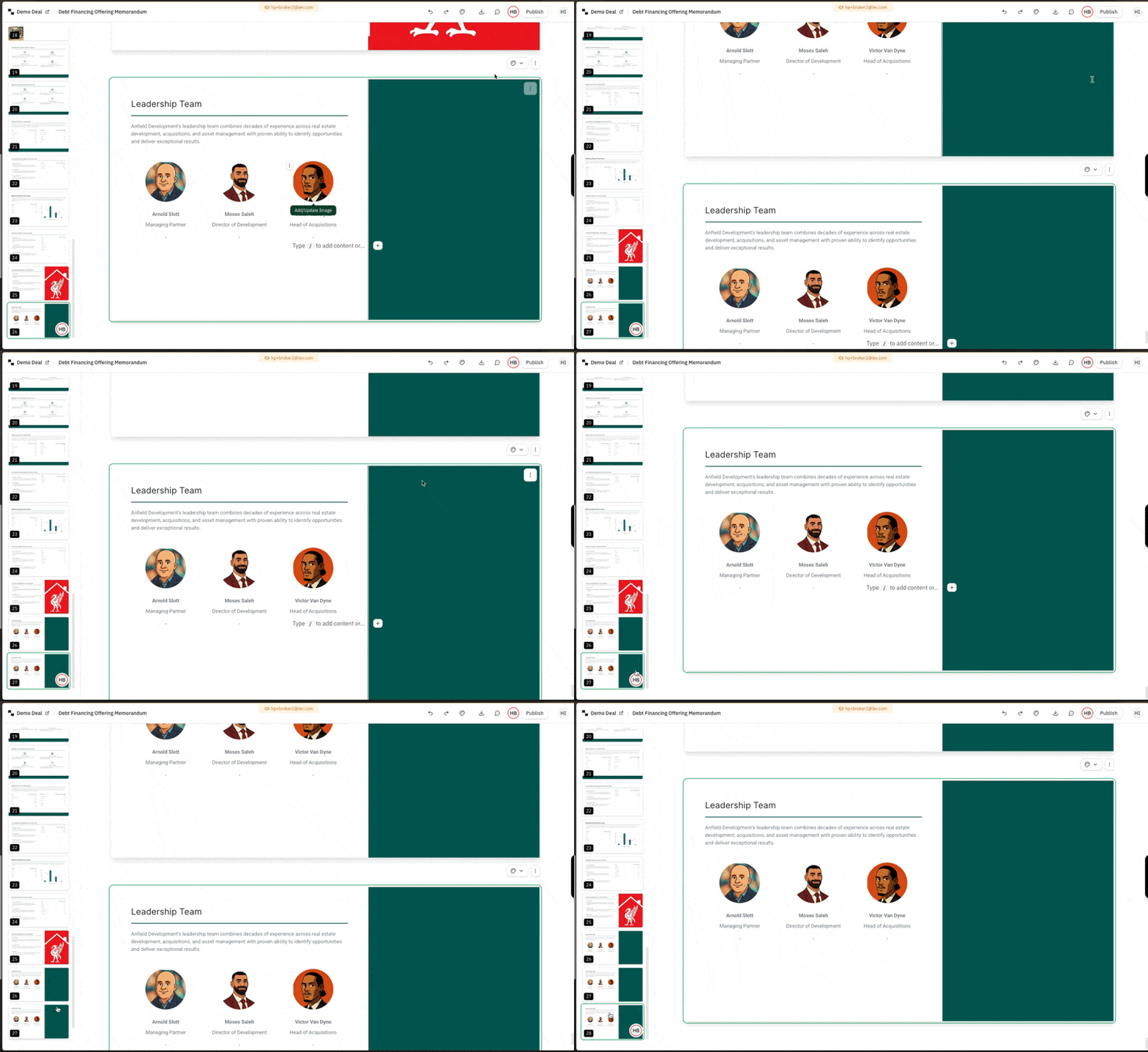
- Click on the vertical dots menu above the top right of any slide
- Click on duplicate slide to insert a copy of the slide directly underneath the selected slide
Via the Slide Preview Bar
- Click on the three dots on any slide in the left-hand-side preview bar
- Click on duplicate slide to duplicate the slide
3. Add a Slide from Another Memo
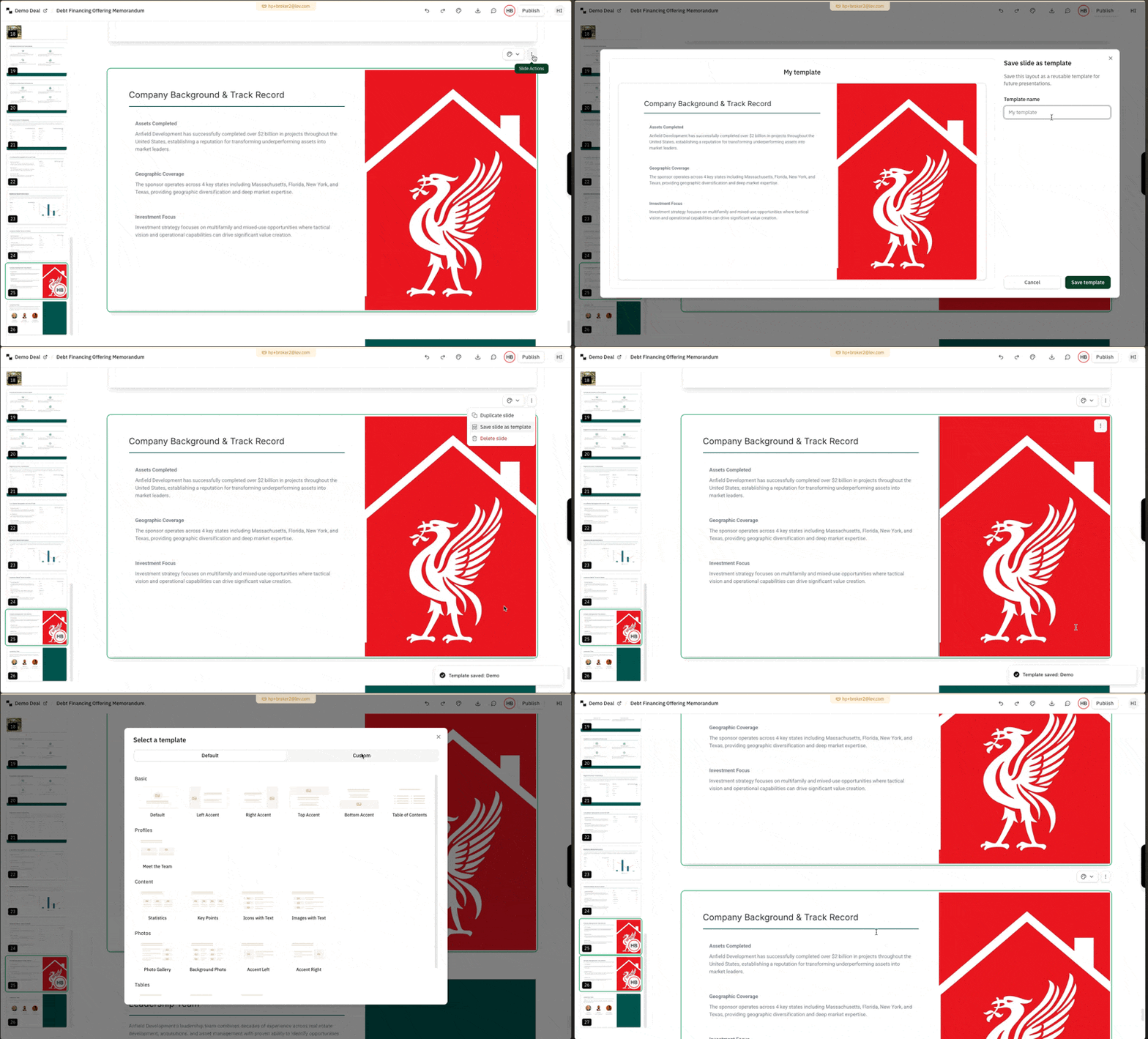
- Click on the vertical dots menu above the top right of any slide
- Click on “Save slide as template” and give the slide a name you can recall
- Navigate to another Memo (or the same one) and add a new slide by clicking on the “+” button underneath any slide
- Click on the “custom” tab in top right of the template modal and add the slide you saved
Deleting a Slide
Warning: Deleting a slide is permanent! There is no way to undo this today.
Via the Dots Menu
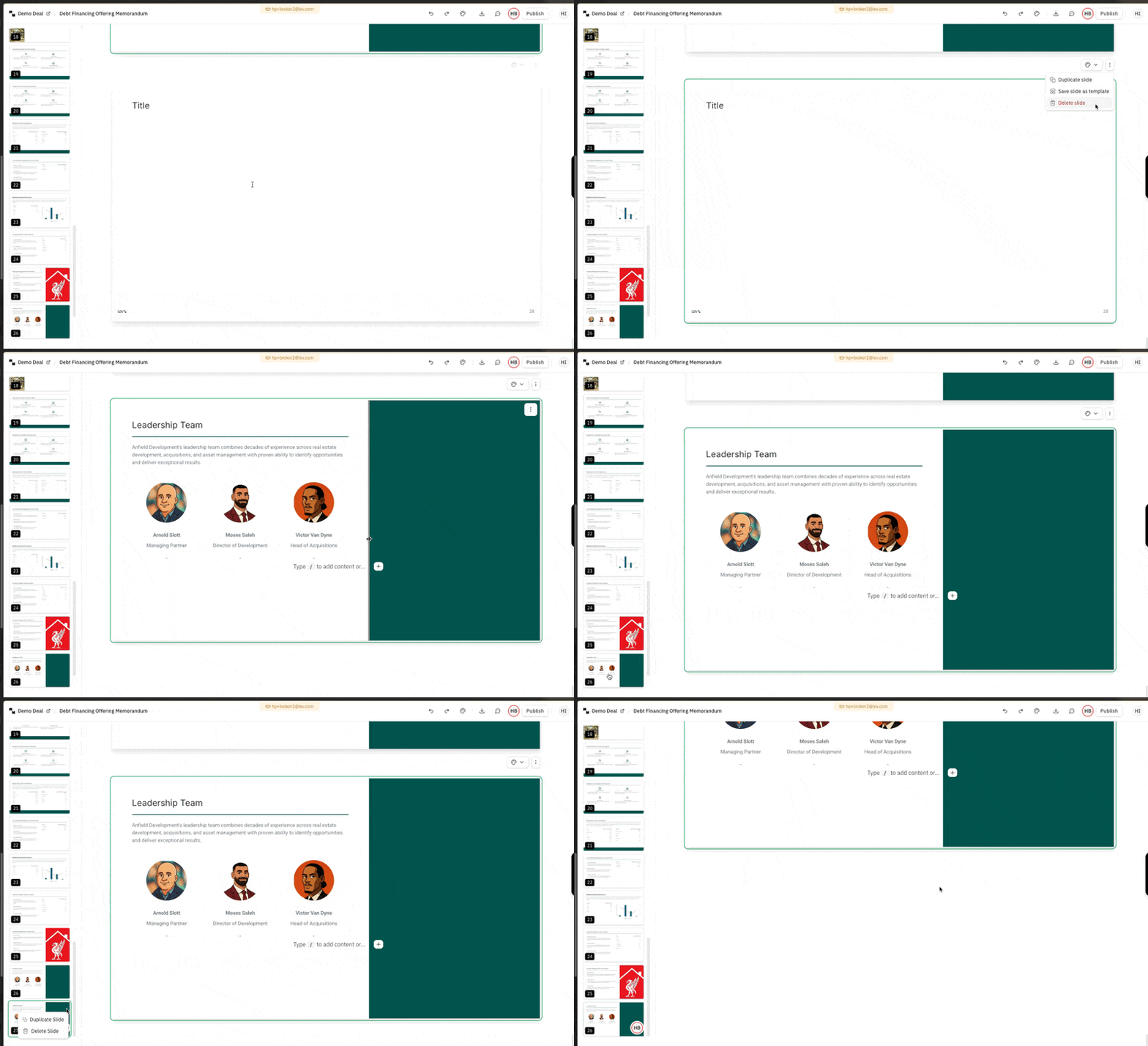
- Click on the vertical dots menu above the top right of any slide
- Click on the delete slide / trash icon to delete the slide
Via the Slide Preview Bar
- Click on the three dots on any slide in the left-hand-side preview bar
- Click on delete slide to delete the slide
FAQ
Can I control the size of each slide?
- Not today, each slide if fixed to the standard powerpoint format. We are looking to support more slide sizes in the near future!
Is there a limit to how many slides there can be in the Memo?
- There’s no limit! Memos can be as short or as long as you like.
Can I customize the copied over slide to my new deal / Memo?
- Not today, this is sort of “Smart Templating” is something we’re hoping to support by the end of 2025 though!